[ installation ]
Goal Labs, step by step.
From the download to your first tagged match. If something does not go as described here, write to us.
Do you have a Mac? The file and how to install it are on Download.
01 Download the installer.
The file is called Goal-Labs-Setup.exe and weighs about 260 MB.
If your browser asks whether you want to keep the file, choose to keep it.
02 Windows will show a warning.
When you open the installer, a blue window appears that says "Windows protected your PC". This is expected.
- Click "More info".
- Click "Run anyway".
Why does it appear?
Windows shows this warning for programs without a digital signature, a certificate that identifies the publisher. The Goal Labs installer does not have one.
It is not an antivirus that found something: it is Windows saying it does not know the publisher.
To check that the file is ours, its SHA-256 fingerprint is c89a5111d40988e727f94cf808e9e4c924c2d94dcbdca06e98bd13077da87fad How to check it
If Windows will not let you continue
On a freshly installed Windows 11, Smart App Control can block it completely and "Run anyway" does not appear. If that happens, let us know and we will look into it.
How to check the fingerprint.
Open PowerShell in your downloads folder and type Get-FileHash .\Goal-Labs-Setup.exe. The result must match:
c89a5111d40988e727f94cf808e9e4c924c2d94dcbdca06e98bd13077da87fad 03 Install with Goal Labs Setup.
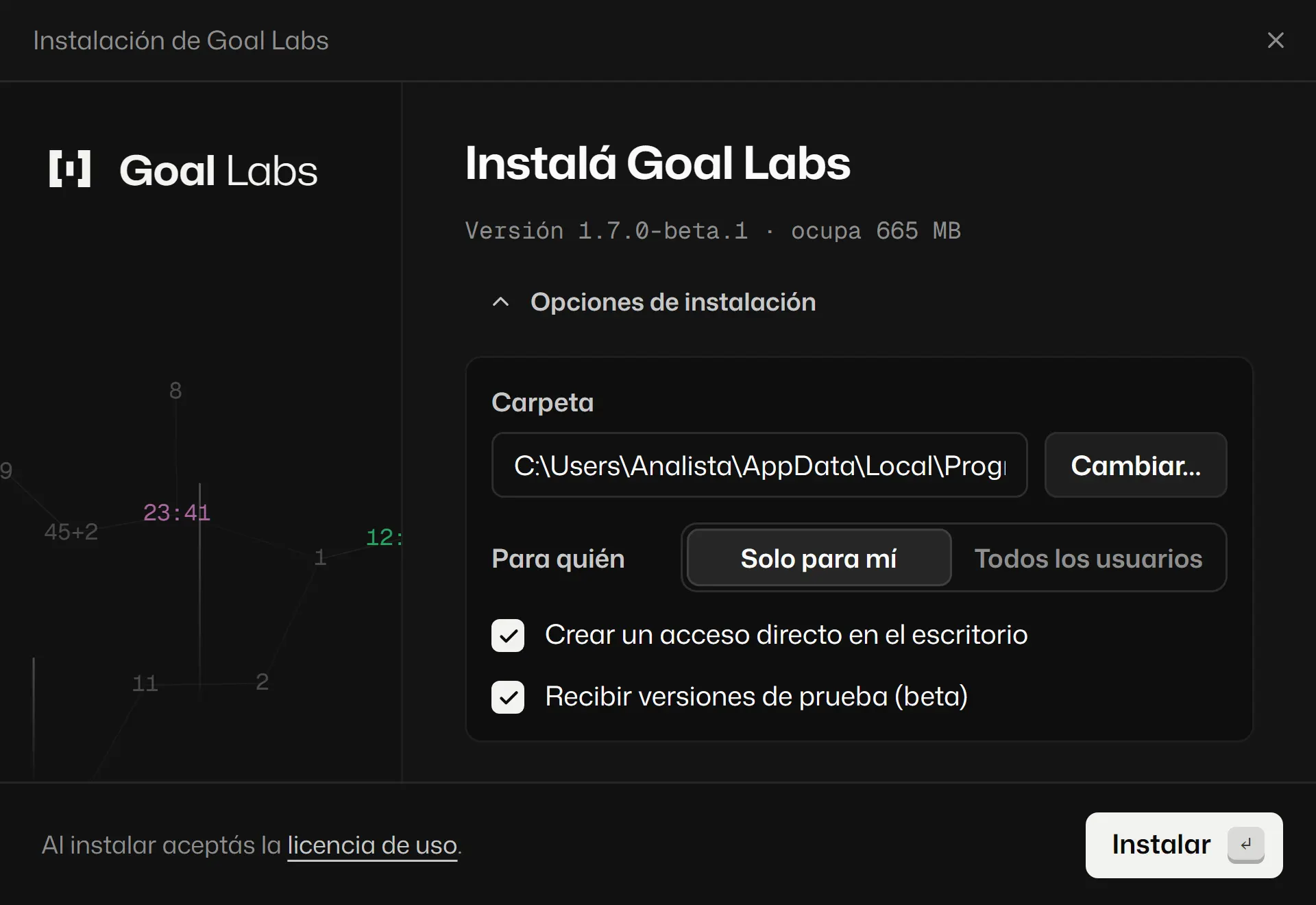
The Goal Labs Setup window opens. Choose the language, the style and your club’s name.
- If you have an invite code, enter it in "Invite code".
If you already had Goal Labs, it installs on top. Your projects are .goal files on your computer and are kept; as with any important file, it is worth keeping a copy.
04 Create your account.
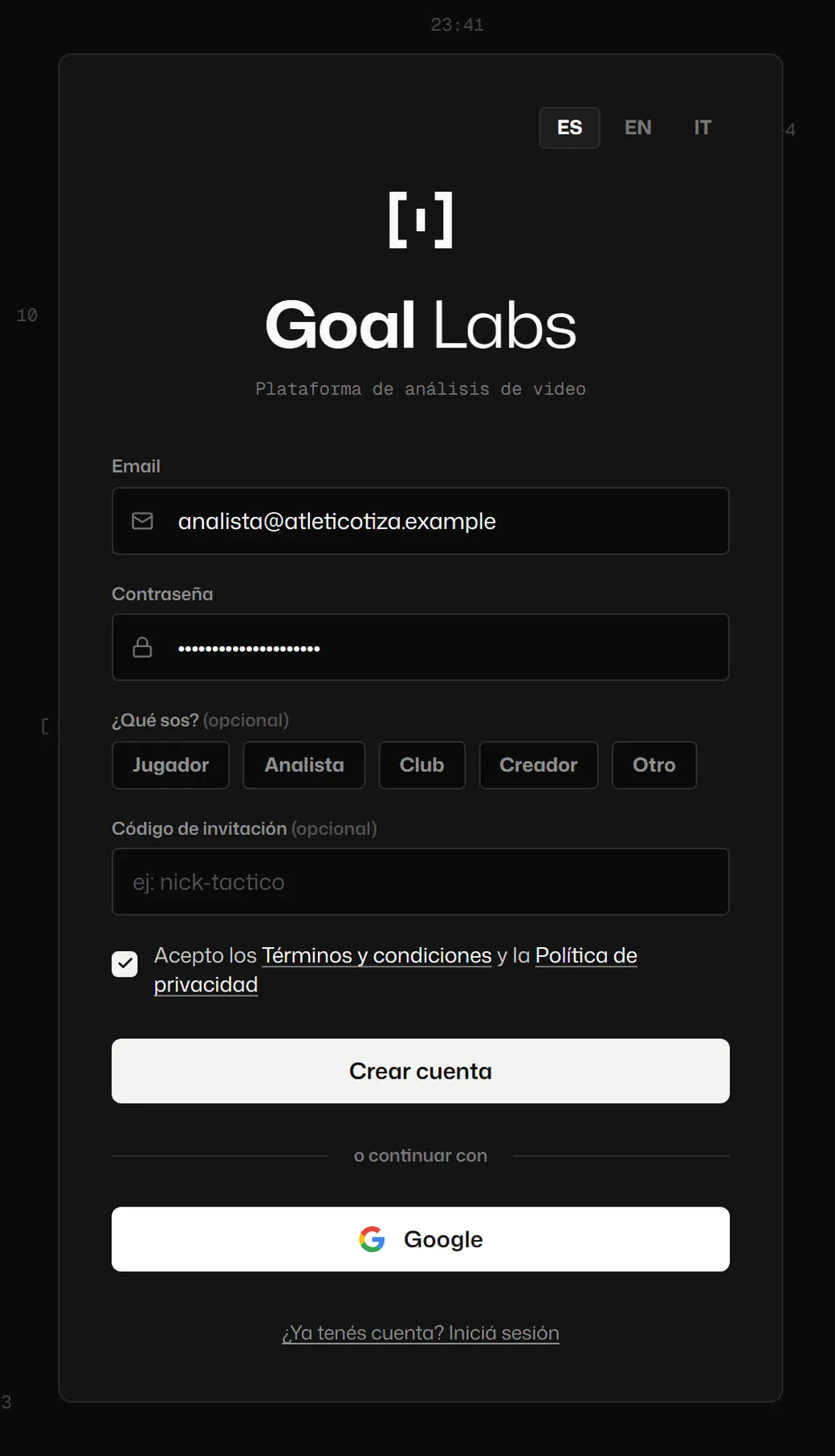
When you open Goal Labs, sign up with your email or with Google. The first time it asks you to accept the terms and conditions and the privacy policy.
05 Start for free and go Pro when you need it.
The account starts on the free plan, which does not expire. Pro features show a lock: tap one and choose "Upgrade your plan" to pay: in Argentina, with Mercado Pago; from other countries, by card through Paddle. Pro turns on in the same account.
06 If something does not work.
Tell us what you did, what you expected and what happened. A screenshot helps a lot. The exact version is in Settings, About.
WhatsApp[email protected]or this form:
07 It updates itself.
When there is a new version, the app tells you at startup and asks before downloading anything.