[ coaching staff ]
From the video to the team talk, without going through three programs.
The clips, drawings and numbers of the match in one place, ready to show in the dressing room or send to everyone’s phone.
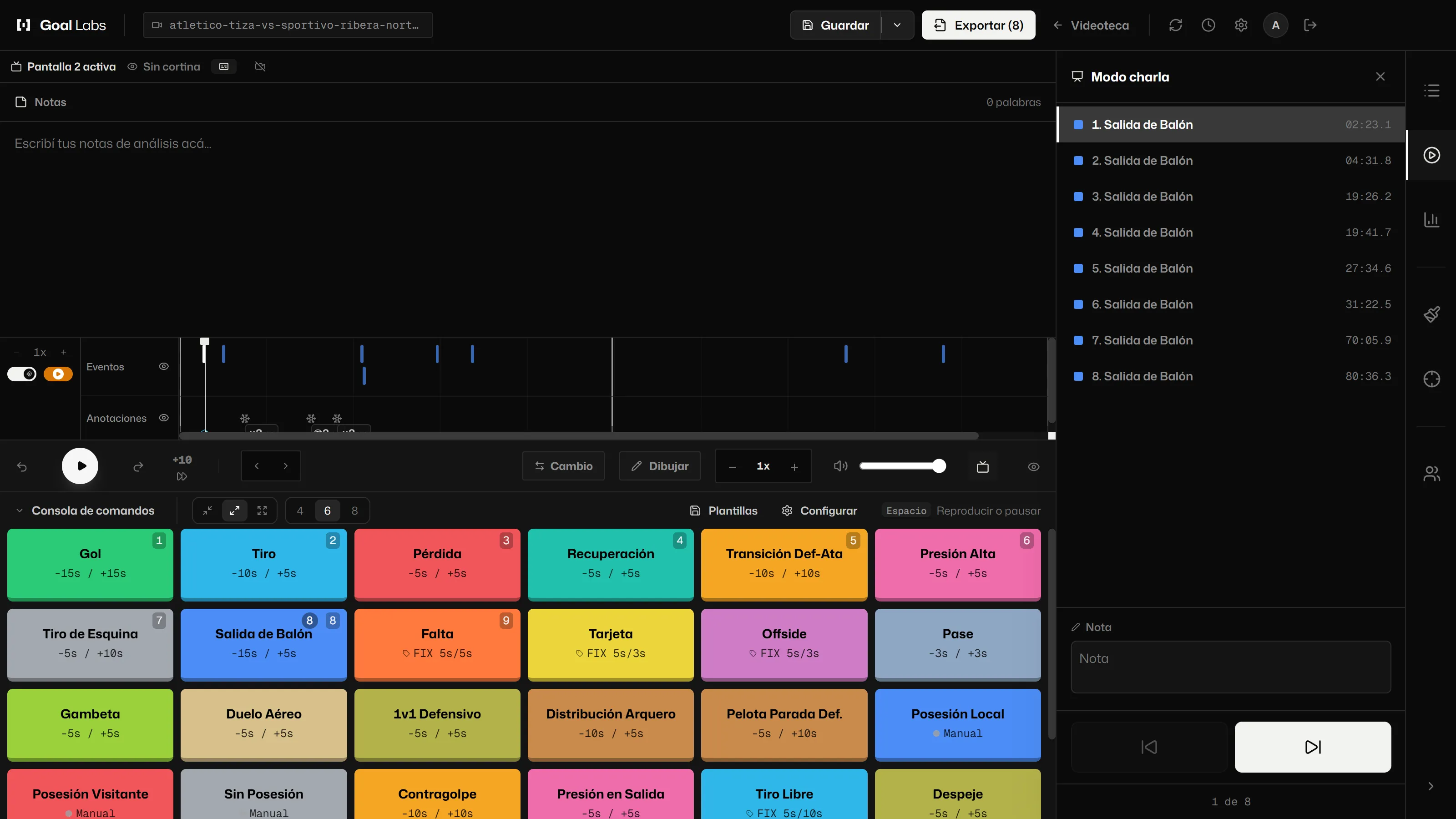
1 Simple remote
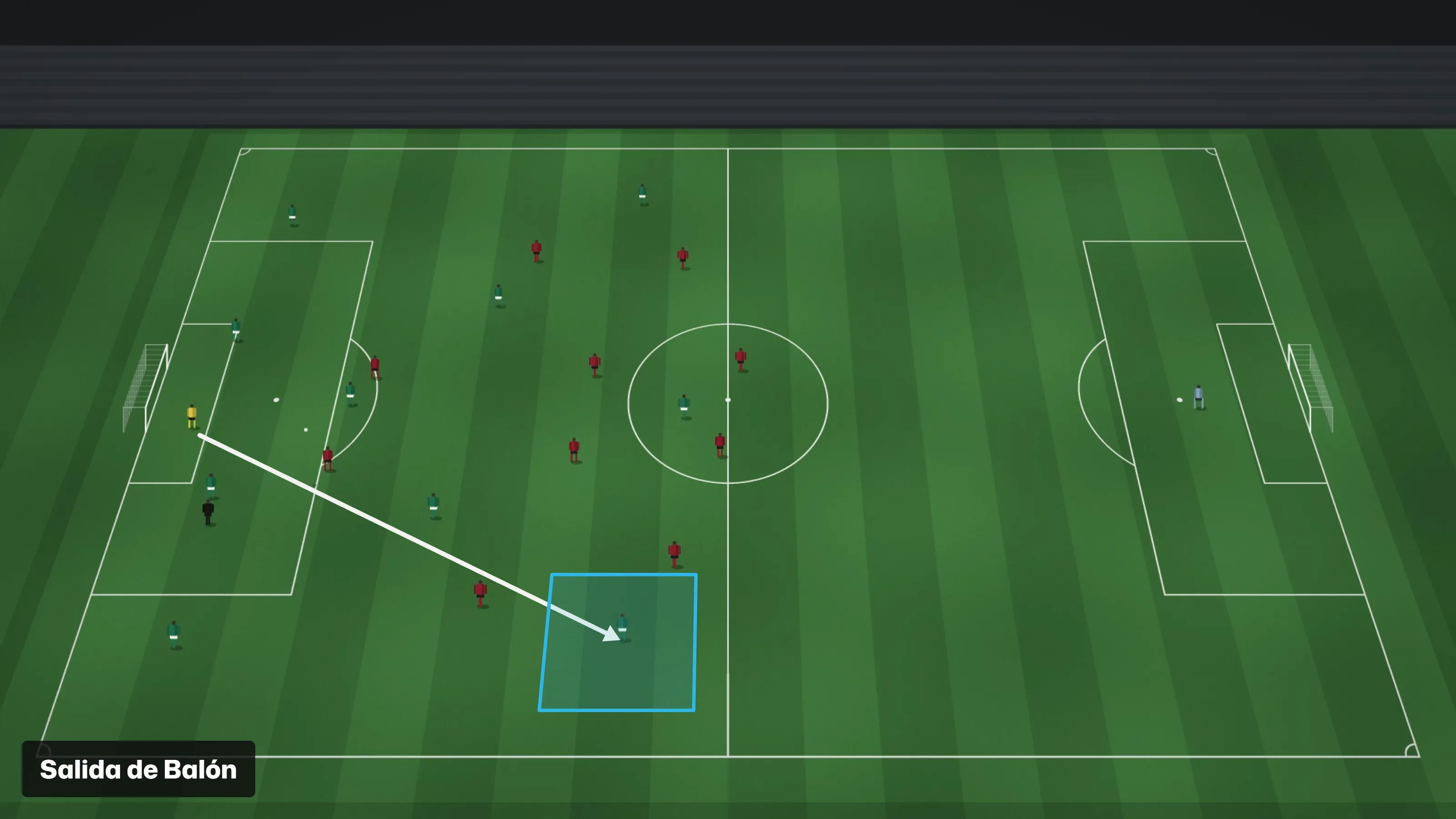
2 Big screen
[01]The team talk
The team talk, with video and drawings.
Build a list of clips, draw on each play and show it on the second screen. In talk mode, the computer becomes a simple remote: previous, next, pick a clip. The big screen shows only the video, the drawings and the name of the play.
[02]Training
Training gets analysed too.
- Session plan. Blocks with a name and minutes, and a console for each block: general, rondo and positional play, match play, finishing or set pieces.
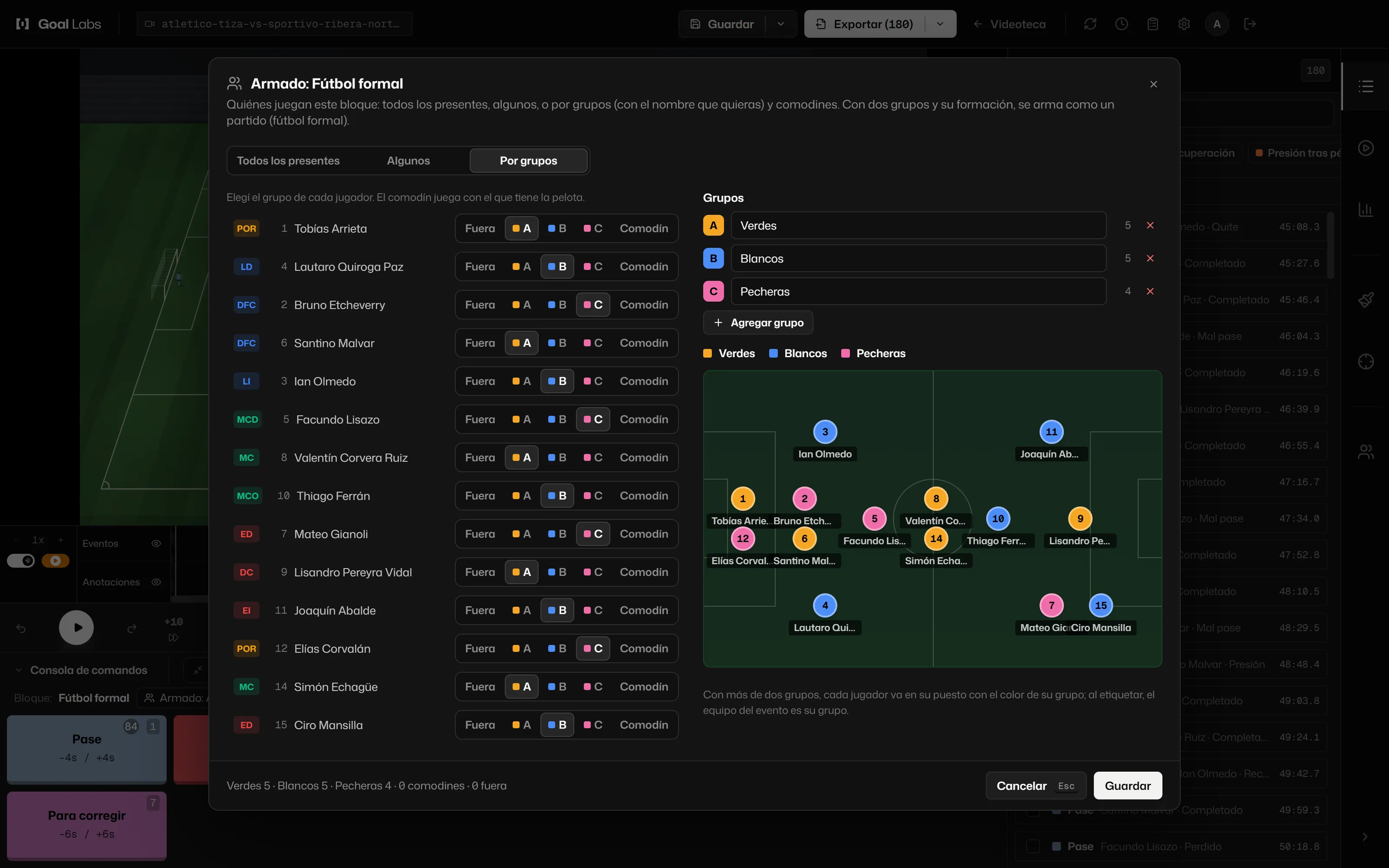
- Attendance and groups. Mark who came and set up each block with everyone, with some or in groups, from two to eight, each with its own name.
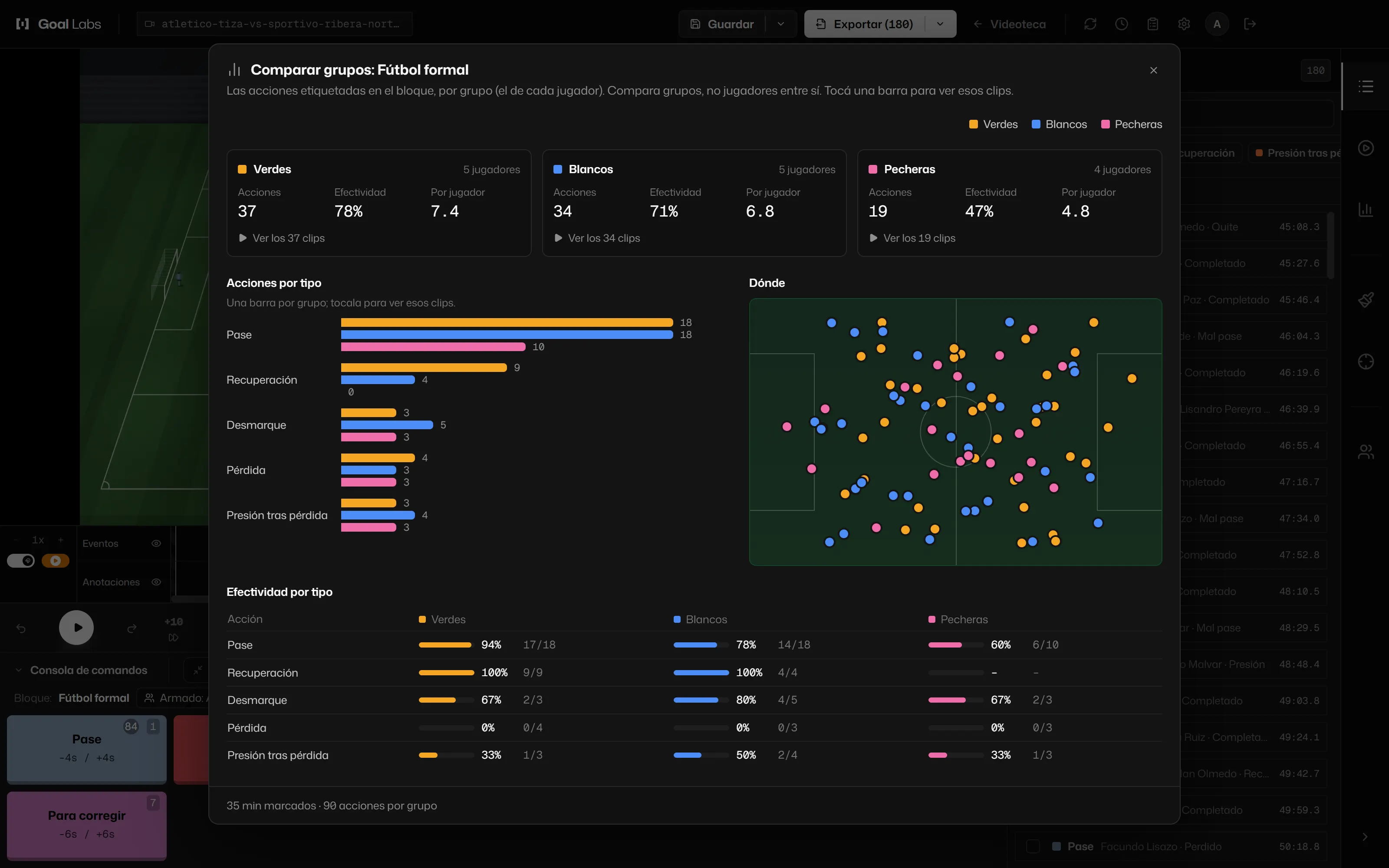
- Compare groups. Actions, effectiveness and where things happened, group against group. It compares groups, never two players from the same squad against each other.
- Live recording. With the training camera, each block is marked while it records.
[03]The opponent
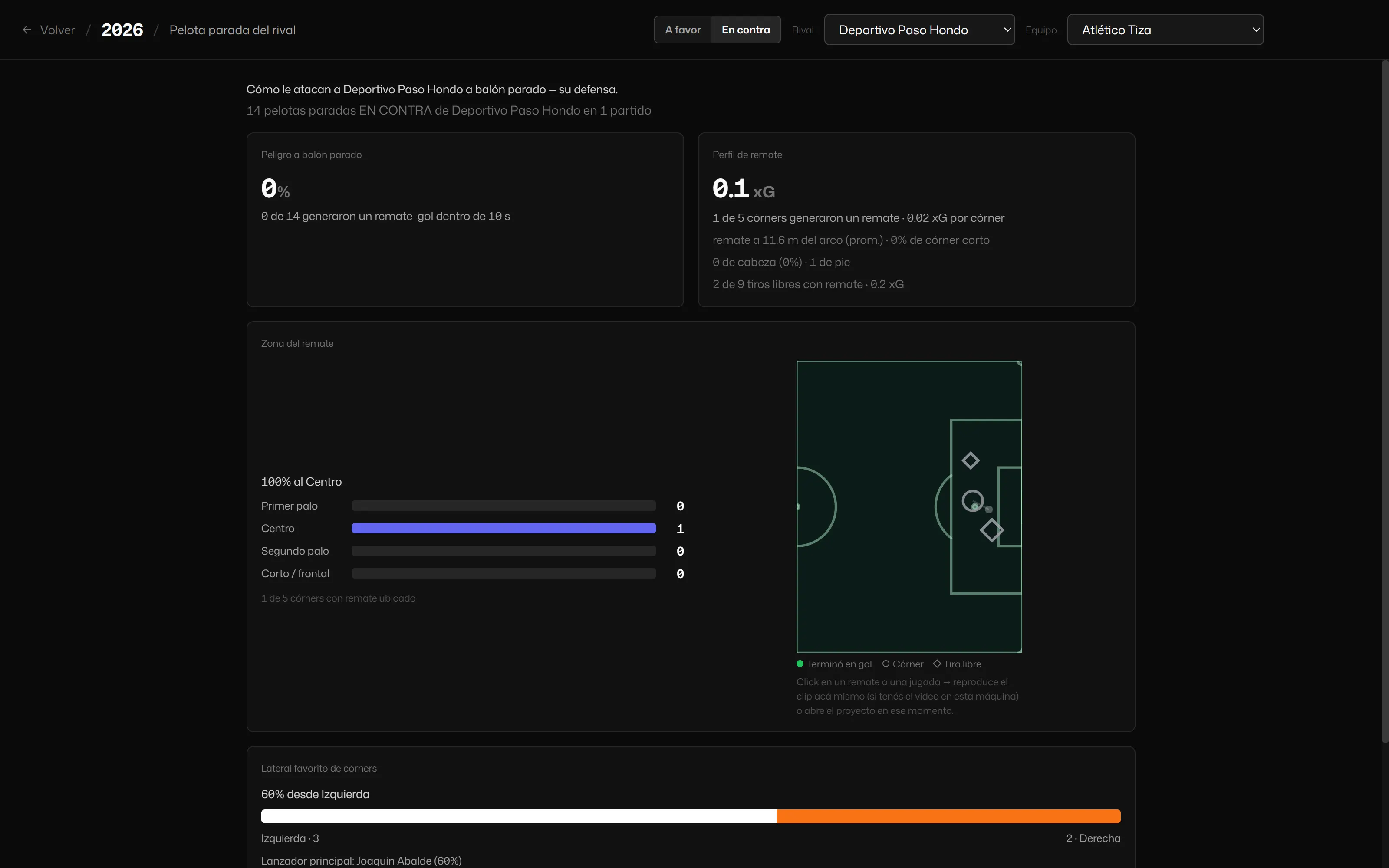
The next opponent’s set pieces.
With the opponent’s matches tagged, see how they attack and defend corners and free kicks, and go through each one on video without opening the projects.
[04]The report on the phone
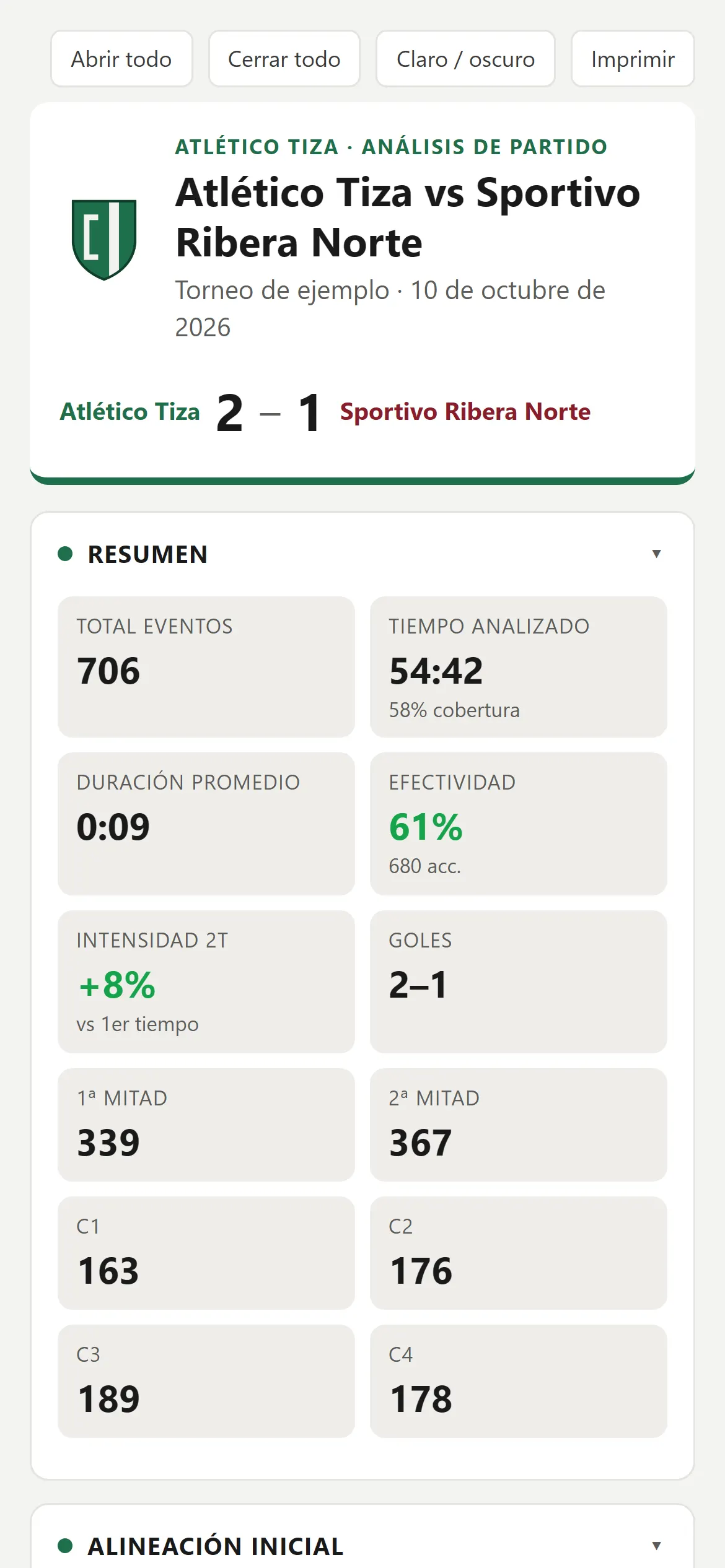
The report lands on the phone.
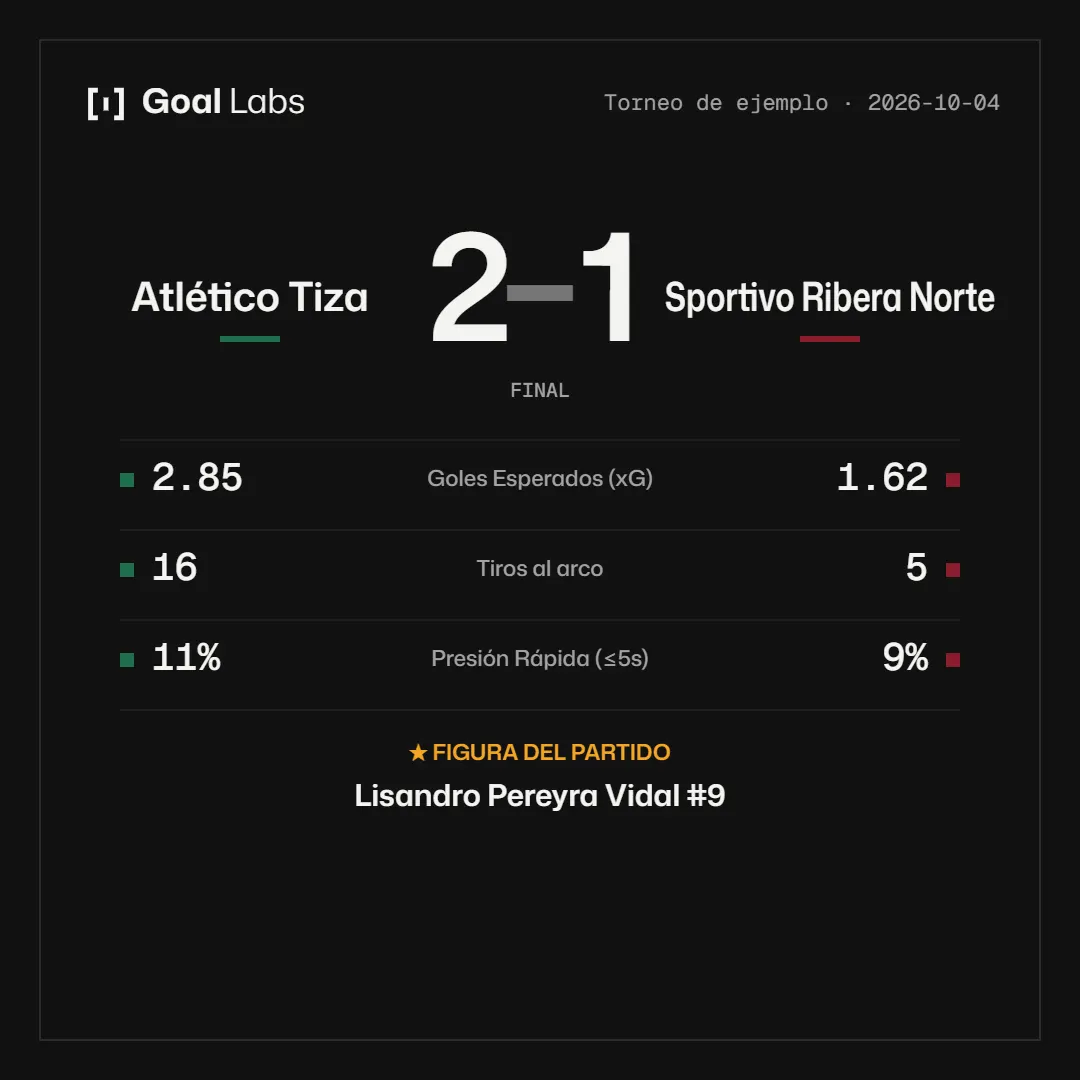
The HTML report goes out over WhatsApp and opens on the phone, with nothing to install. It carries the club crest and colours. The match graphic card comes out as a square ready to share.
[05]GPS, as support
Physical load, next to what happened in the game.
With the Club plan, each player’s load recorded by the club’s GPS appears next to the training and match clips. It helps you understand the game, not replace it.
See the Club plan