Everything Goal Labs does.
What is listed here exists in the app today. What is in the works is said to be.
[01]
Tagging
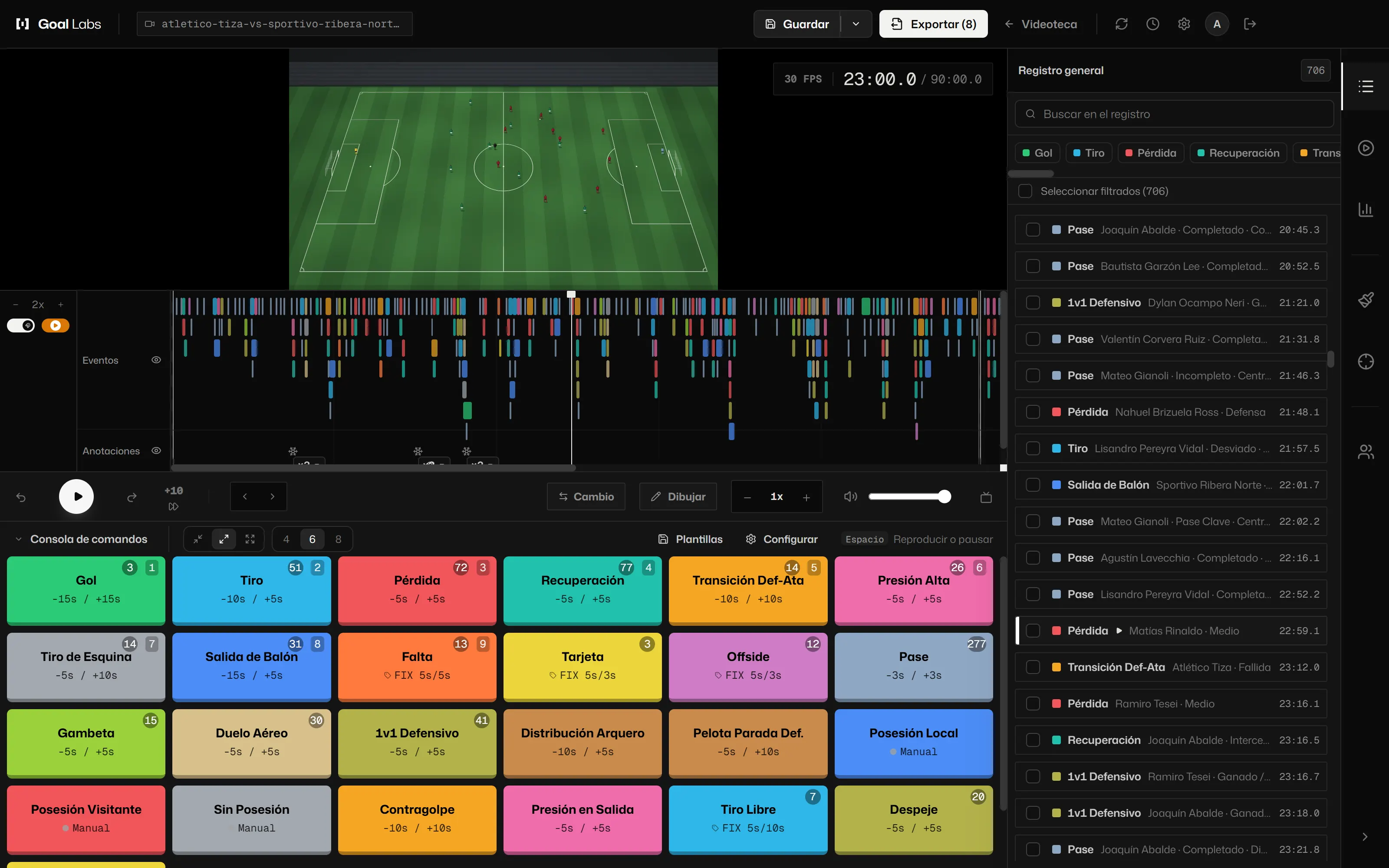
- Console with keys. 1 to 9, by each tag’s place. Keys are changed in Settings, Shortcuts.
- Ready-made consoles. Eight for matches (full, attacking, defending, transitions, set pieces, individual performance, goalkeeper and possession) and five for training (general, rondo and positional play, match play, finishing and set pieces).
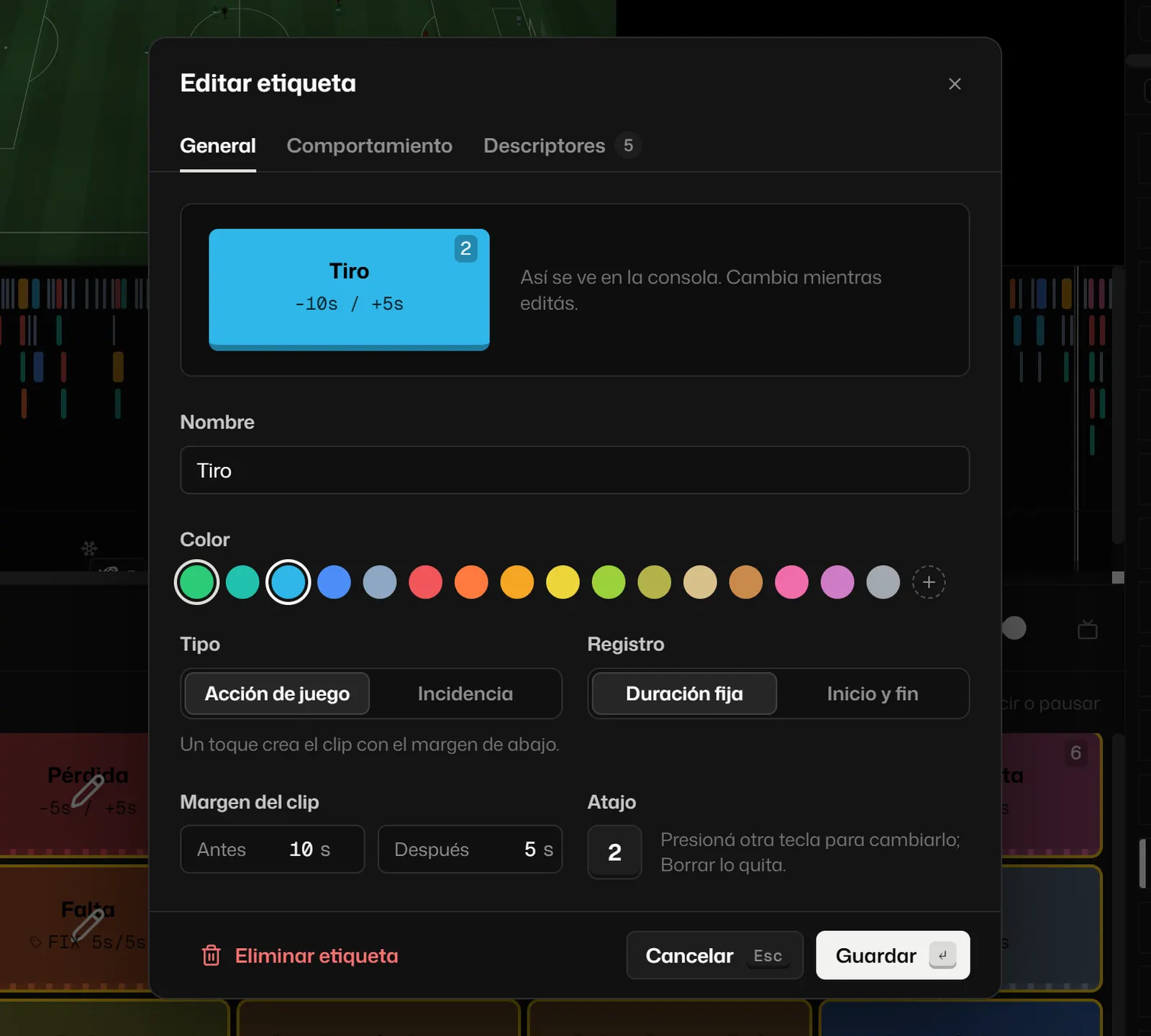
- Tags your way. Name, one of sixteen colours, key, lead and trail time for the clip, and a fixed or start-and-end record.
- Descriptors and behaviour. Groups of options per tag (outcome, zone, foot, player) and which tags each one closes when it starts. Pro
- Two keystrokes. The action key and the descriptor number or shirt number. Pro
- Logging desk. The event details with the pitch, both squads and the mini-map. With two screens, it takes up a whole one. Pro
- Continue with. Chain actions and each clip starts where the previous one ends. Pro
- Consoles by phase. One console for each phase of play in the match (in possession, out of possession, transitions), with its own size and columns, and you switch between them. Pro
- Templates in a file. Export your console to a .gl file and pass it to a colleague, who imports it with its tags and keys. Pro
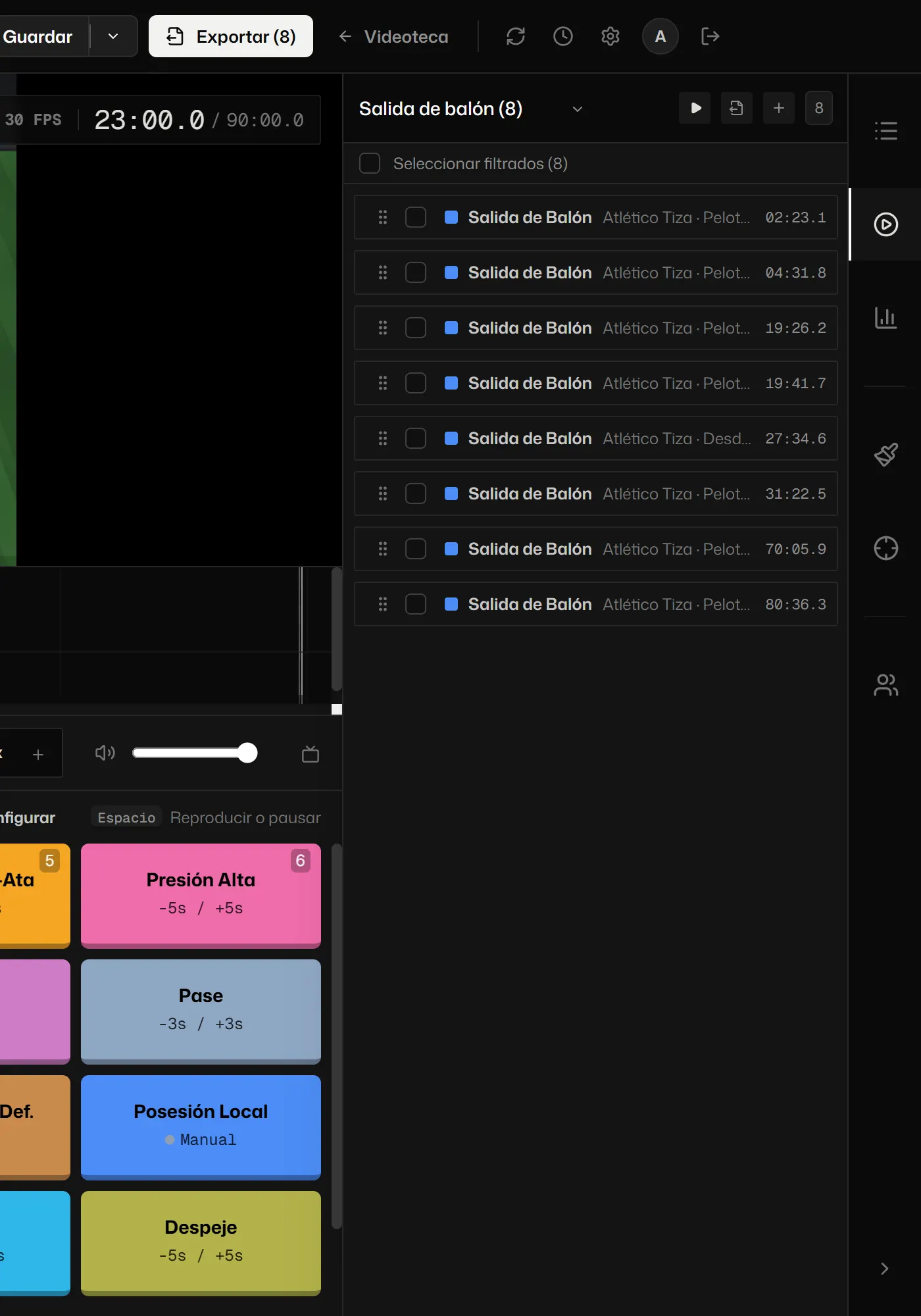
- Log and playlists. The event log with filters, playlists and the timeline with one track per tag.
- Audio scan. Finds the moments when the crowd roared or the whistle blew; you decide which ones stay. Pro
- Import XML. A match tagged in another tool, with its tags and events. Pro
- Squad. Clubs from the catalogue with name, short name, colours and formation; saved squads; formation on the pitch and substitutions.
- Training. Session plan by blocks, attendance, groups and a console per block.
[02]
Analysis Pro
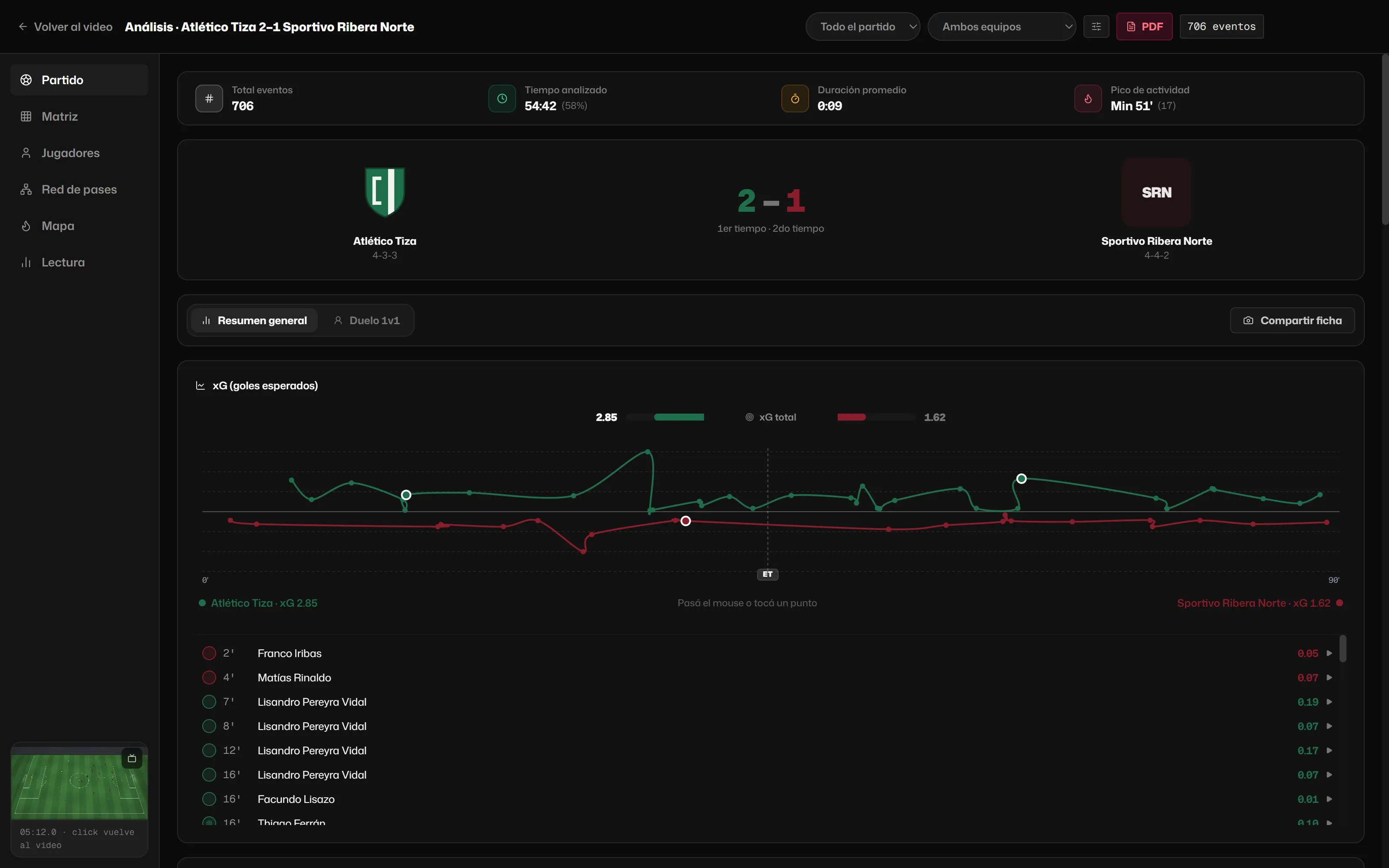
- The match at a glance. Score, cumulative xG, each team’s action balance and how much of the match is tagged.
- xG and xG race. Expected goals with our own model, which you can recalibrate with your shots.
- Tactical metrics. Field tilt (also by half), box entries, duel percentage, passes into the final third and PPDA. If one cannot be measured, it tells you what to tag.
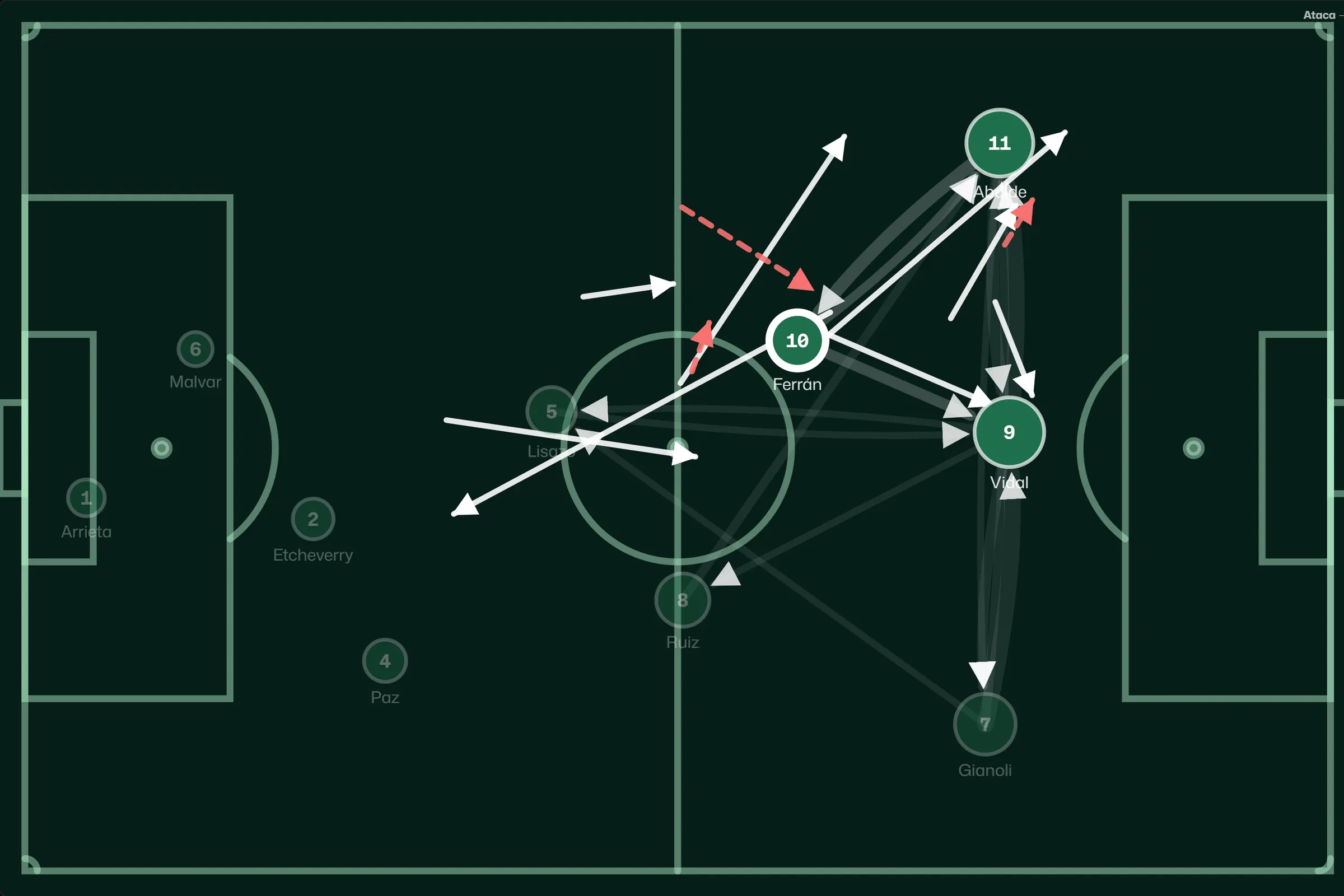
- Pass network. By team, half and minimum number of passes. Tap a player or a line and see those passes on the pitch and on video.
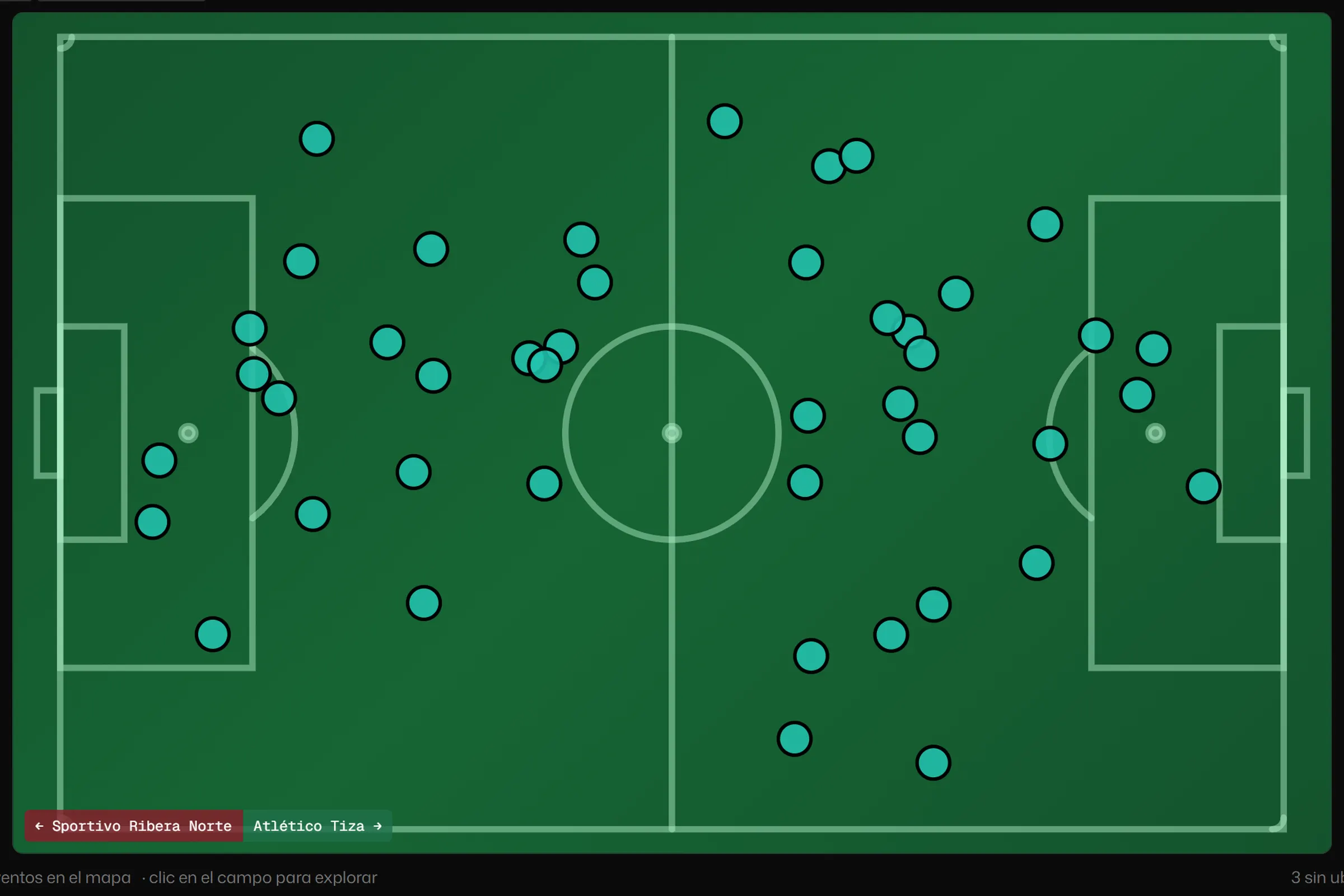
- Heat map. In heat, dots or both modes, filtered by tag and team.
- Recoveries and pressing. Where each team wins the ball back and how high up the pitch.
- Momentum. The match curve with the goals marked.
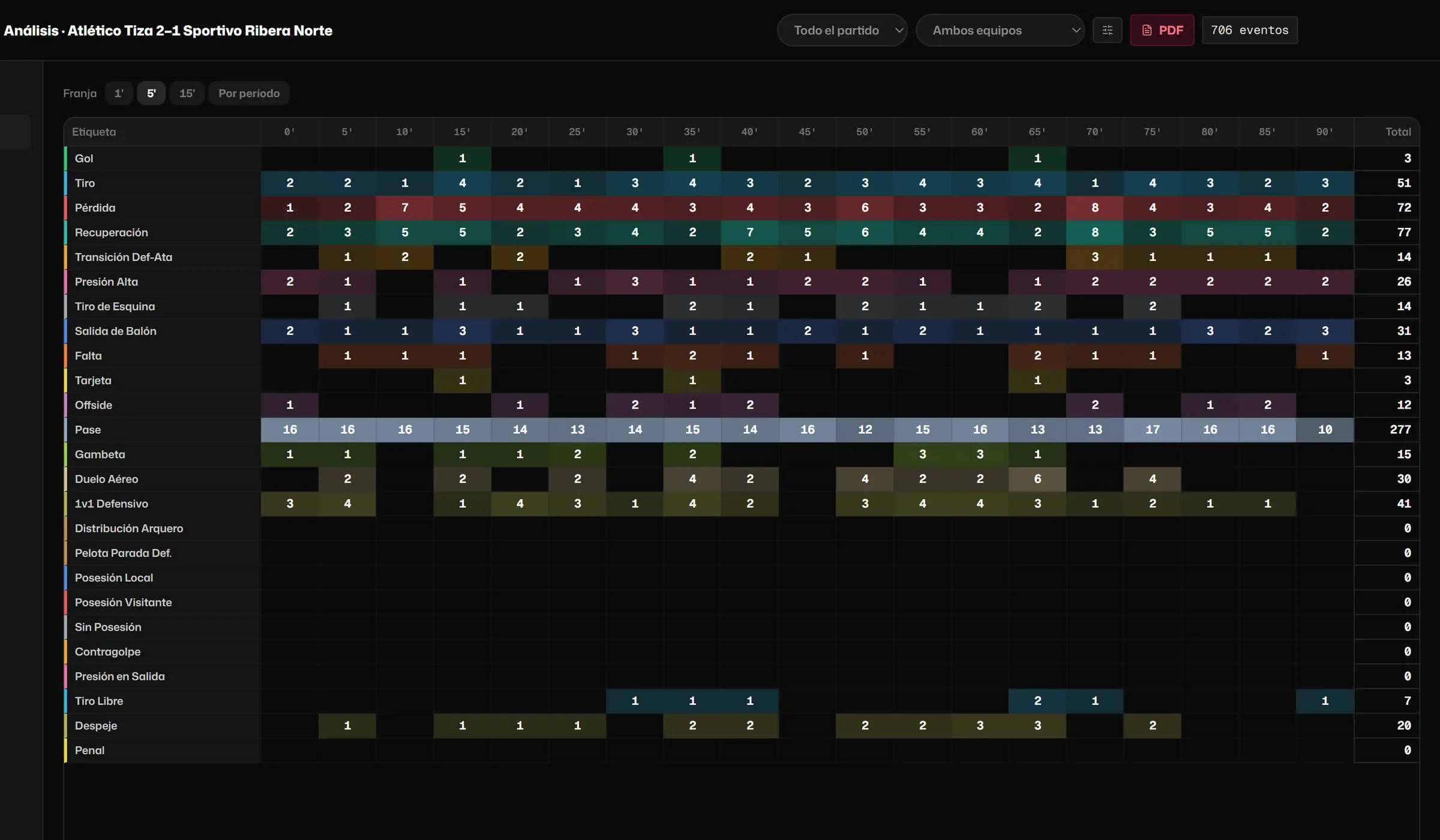
- Matrix. Actions by tag and by 1, 5 or 15-minute band, or by half.
- Duels. Who wins each position matchup.
- By player. Actions, actions per minute played and their path through the match.
- Match reading. Three facts about the match written from the data, with rules applied to what you tagged.
- Honest warnings. If the sample is small or something is missing, it says so.
[03]
Drawing and measuring
- Telestrator. Arrows, zones, lines, spotlight, text and player tags, with colour, thickness and duration.
- Freeze frames. The video freezes on its own while you draw, for as long as you choose.
- Animation. Path, appear, pulse, radar and entry, so the drawing moves with the play. Pro
- Follow a player. Mark him once and the circle, ring or marker follows him through the play. Pro
- Lofted pass. The arrow with flight and its shadow on the ground. Pro
- Link. A line between players that follows them through the play. Pro
- Distance and label. The metres of a line and a text written on it, with drawing styles besides the classic one. Pro
- Virtual camera. A framing that follows a player or that you build by hand with key points, and comes out that way in the clip. Pro
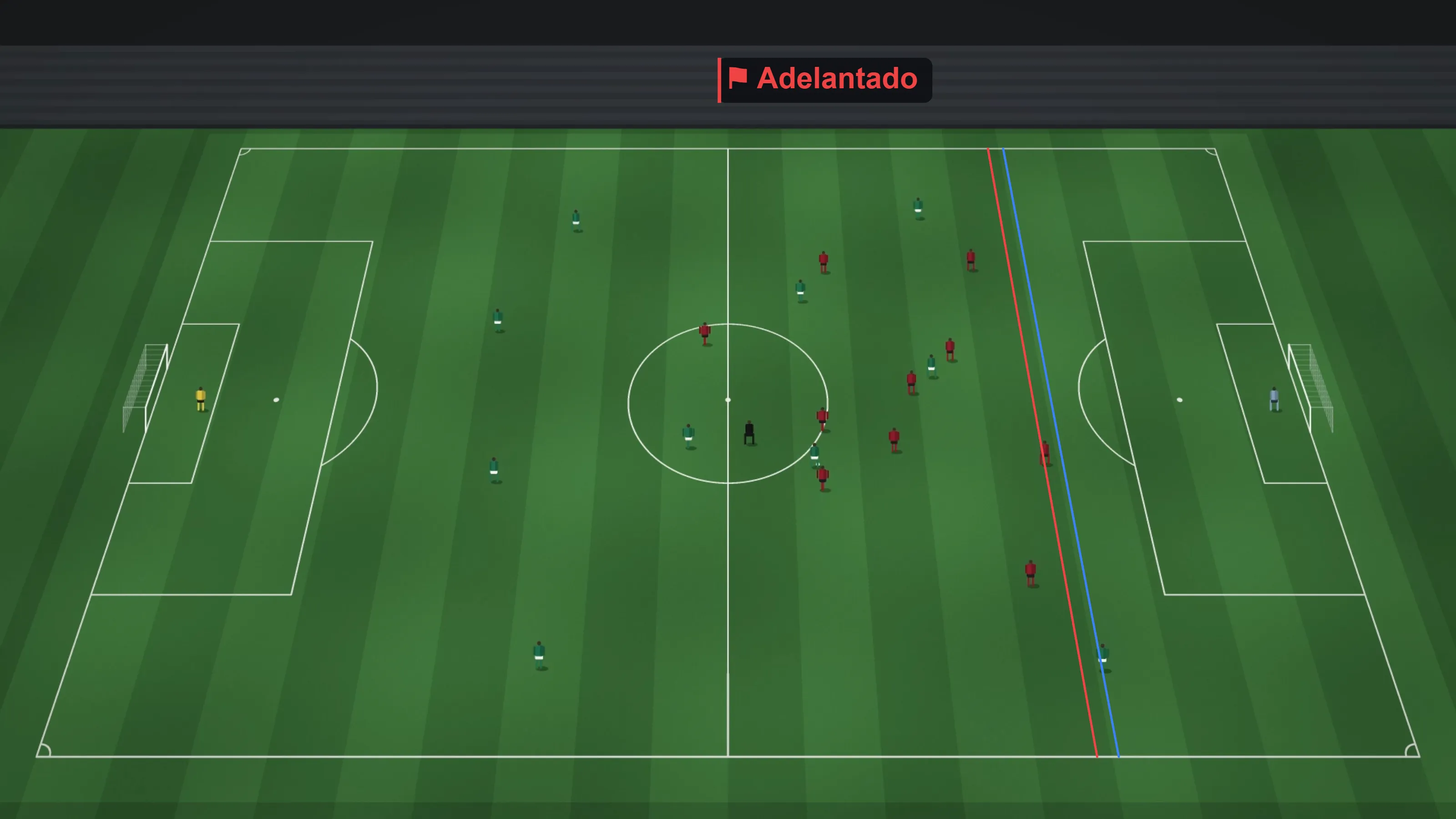
- Offside checker. Two reference lines, the defender and the attacker. Result: offside, onside or inconclusive, with no false precision.
- Pitch calibration. By hand, with pitch points you choose and the quality in metres. With calibration, place each event by tapping the video. Pro
- Drawings in the clip. Everything you draw goes out inside the exported clip, animated too.
[04]
Live Pro
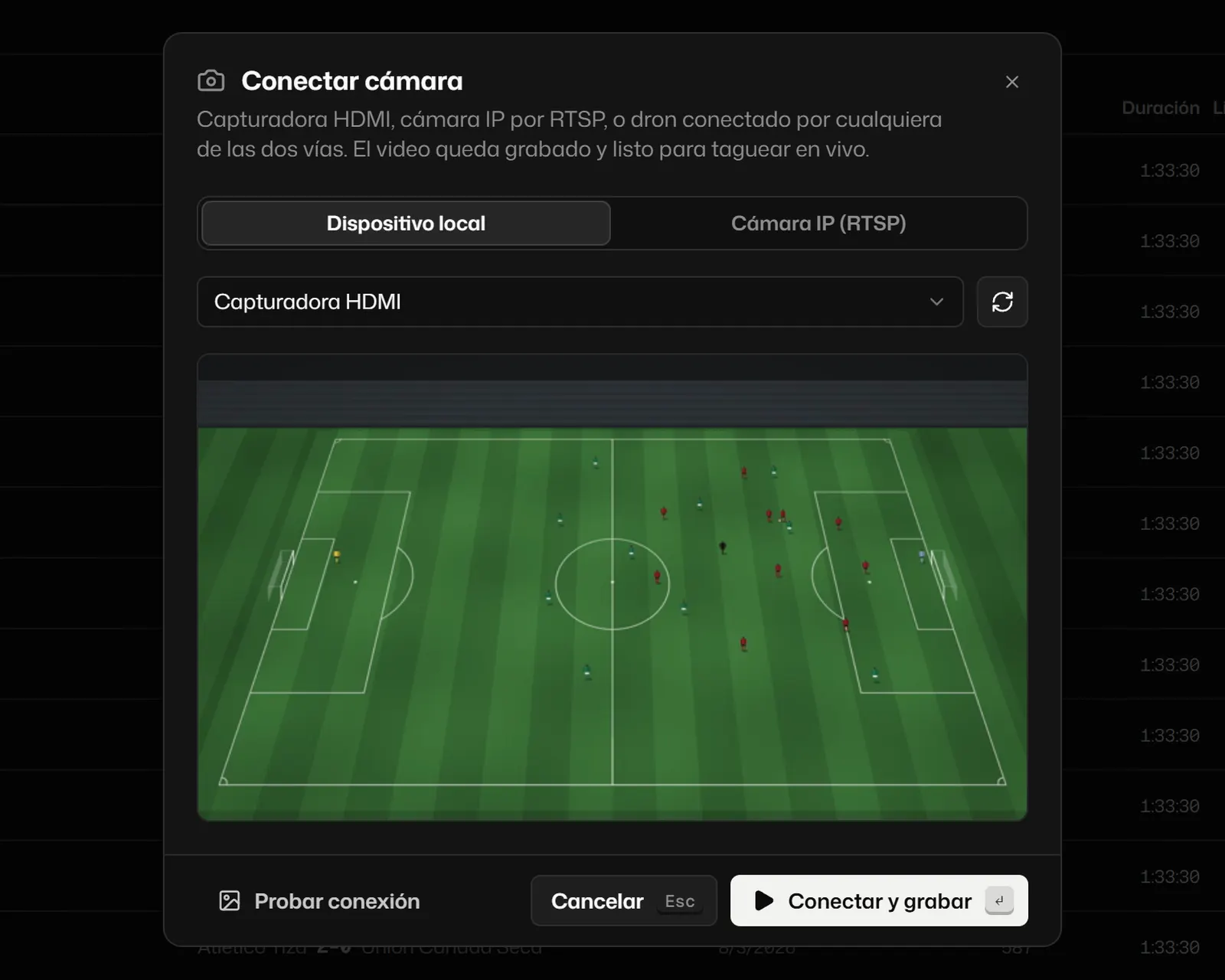
- Camera, capture card or IP camera. Choose the source and test the connection before you start.
- Periods. Start and end each half or each block. Nothing is recorded in between.
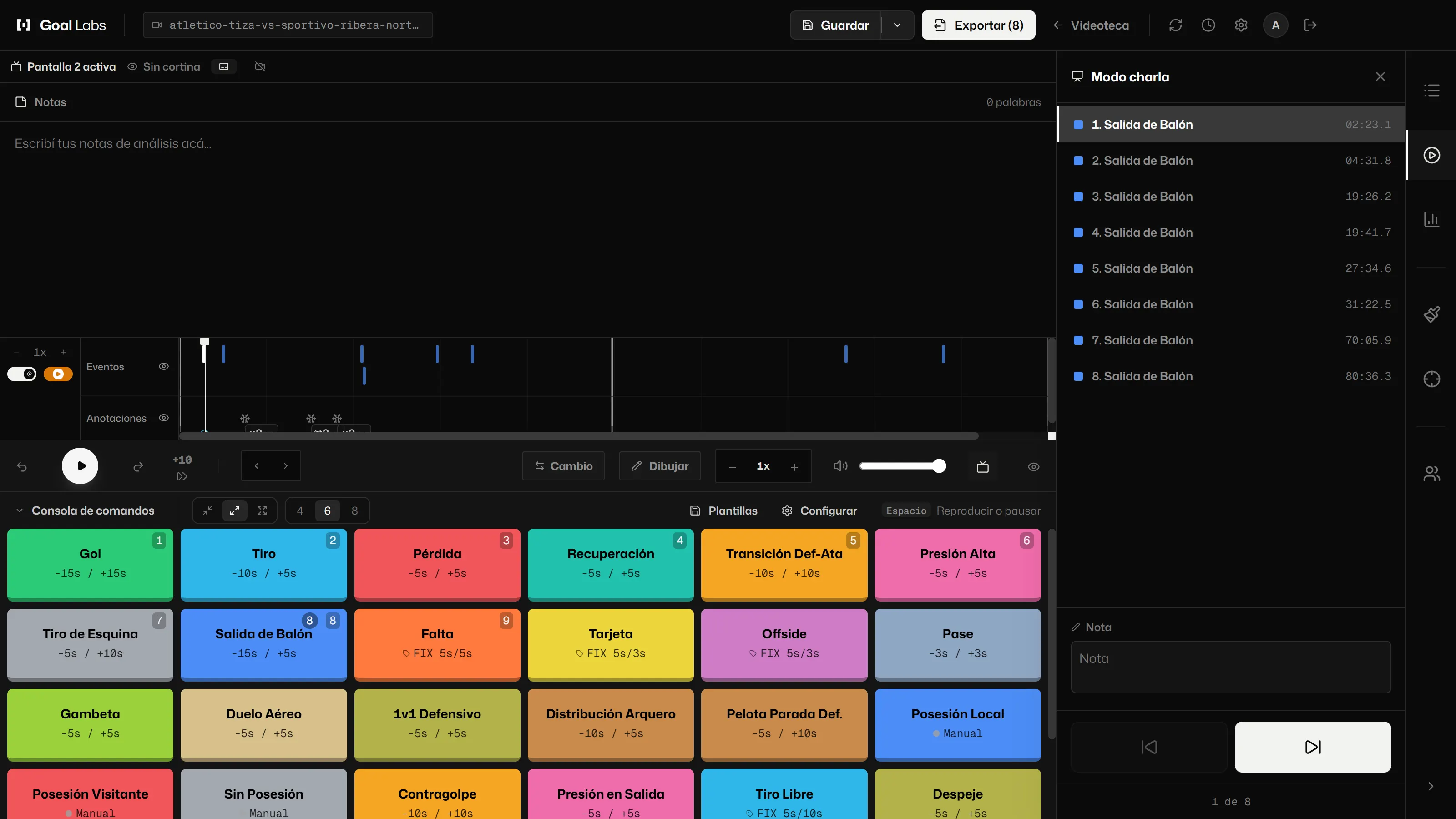
- Tag while recording. With the same console.
- Replay. Replay a recorded stretch in a small window, without stopping the live feed.
- Recovery. If the app closes by accident, the recording is recovered.
- Prepare in advance. The squad and the session plan are set up beforehand, with no video.
- Dual screen and talk mode. The video or the logging desk on the second screen. In talk mode, the first one becomes a remote. (Dual screen and talk mode do not need Pro.)
[05]
Reporting and sharing
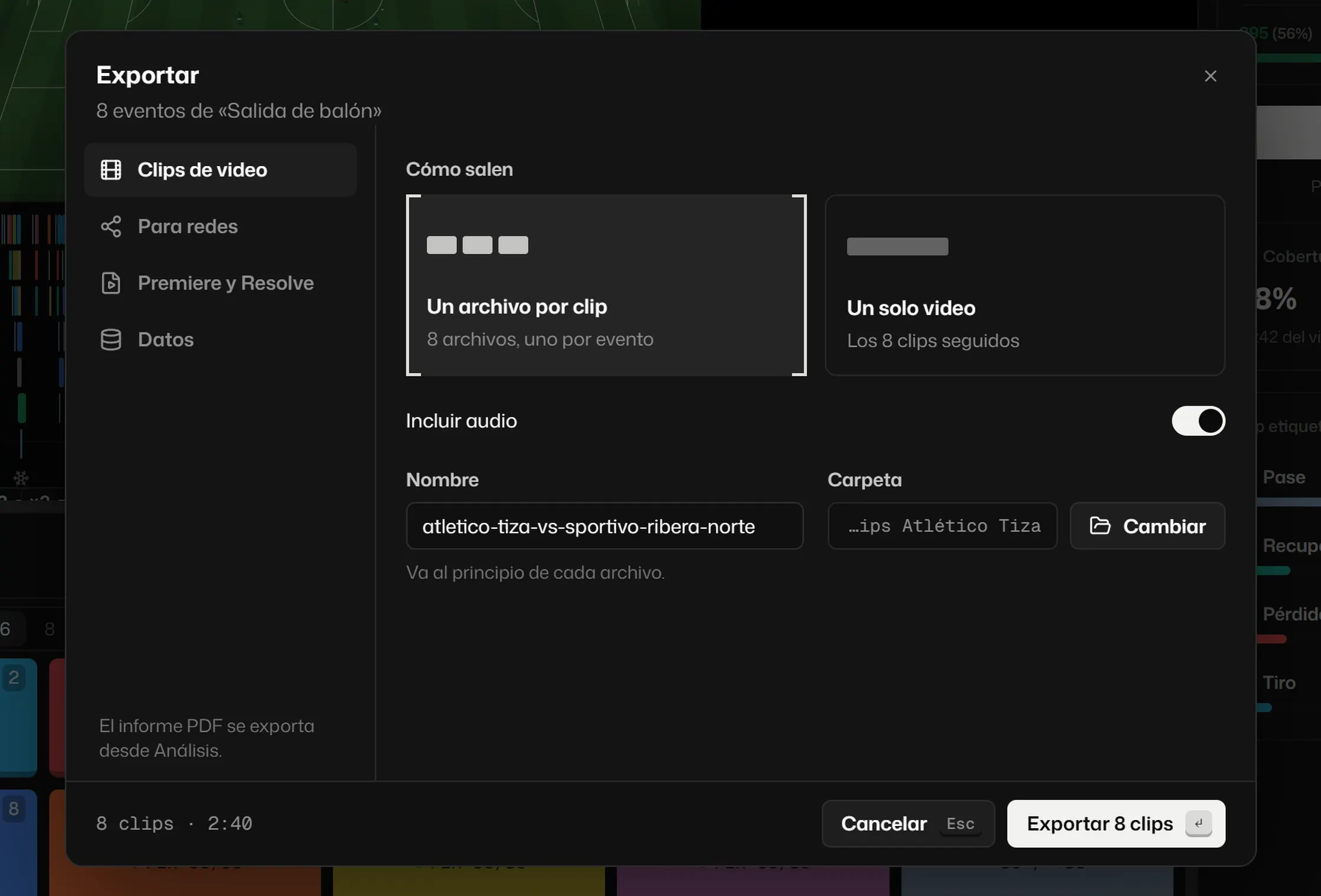
- MP4 clips. One per action or all in a single video. Exports with the graphics card if there is a compatible one (NVIDIA, AMD or Intel) and, if not, with the Windows encoder. On a Mac it uses the Mac’s own encoder. On the free plan, the video carries the Goal Labs mark; with Pro, it comes out without it.
- For social media. 9:16, 1:1 and 16:9, with the drawings inside. Pro
- Reels. Gather moments of a player or an action and frame the 9:16 following the play. Pro
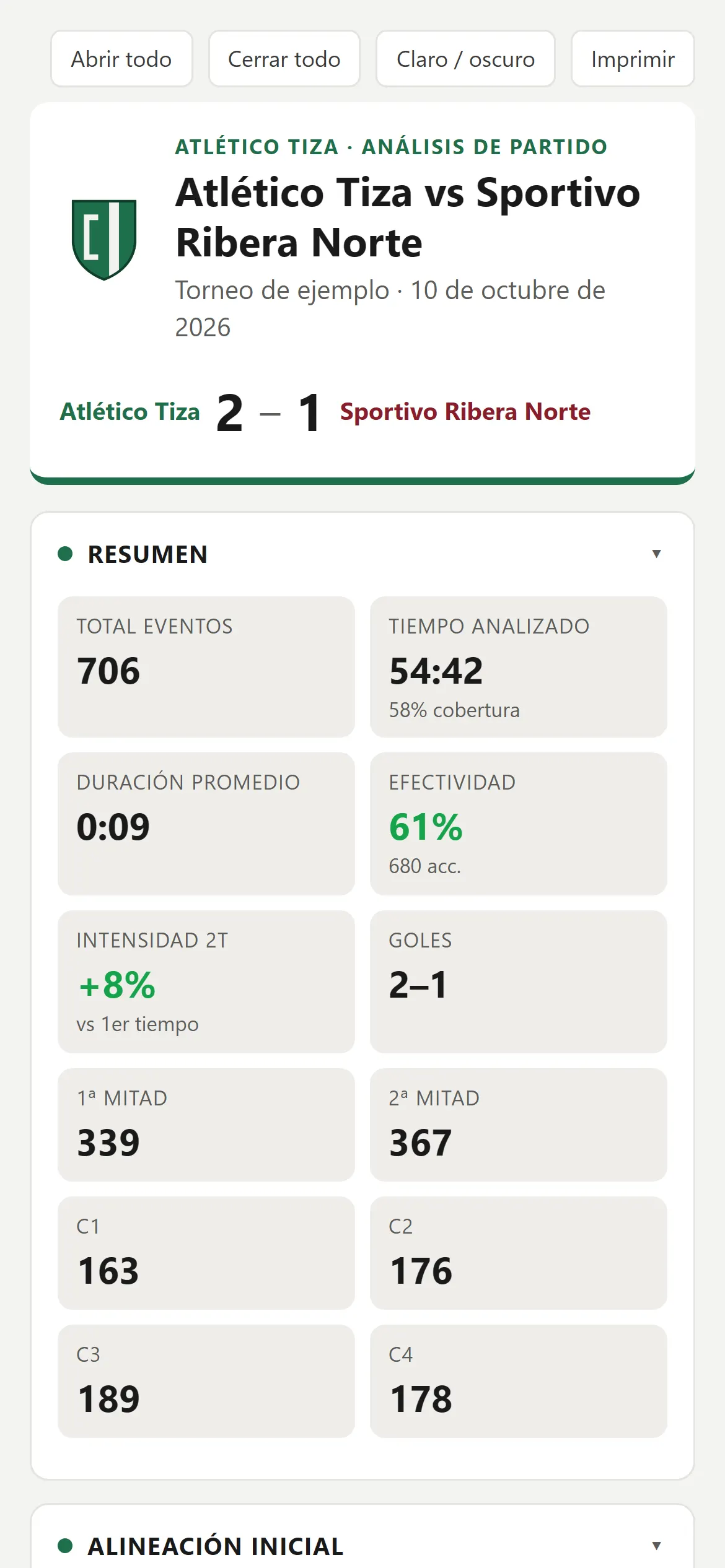
- Reports. In PDF or in HTML that opens on a phone, with the club crest and colours. Pro
- Match graphic card. A 1080 × 1080 square with the match numbers. Pro
- Video editors. XML for Premiere, DaVinci Resolve and Final Cut Pro, with drawings as layers. Pro
- Data. CSV, JSON and an event format that other data tools read. Pro
- Cloud Library. Your projects on any computer. The project is saved, not the video. Pro
[06]
Season Pro
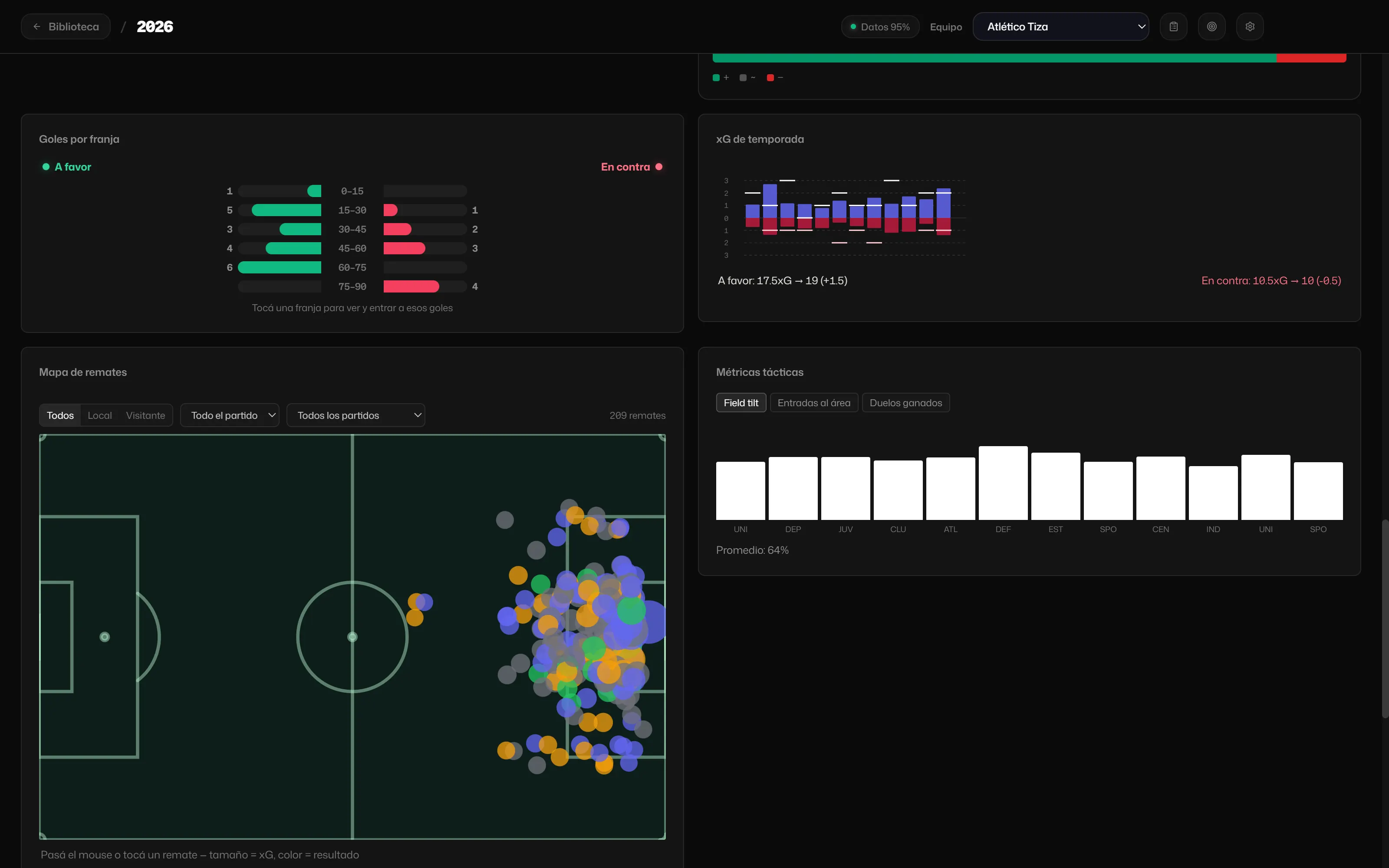
- Season dashboard. Record and points, expected points, xG per match, shot map, goals by 15-minute band, territory, home and away, last-five trend, set pieces, discipline and offsides. You choose what to see.
- Strengths and weaknesses. Written from rules applied to your data, with the sample size in view.
- Squad. Minutes, actions per 90, goals and xG for each player, and squad rotation.
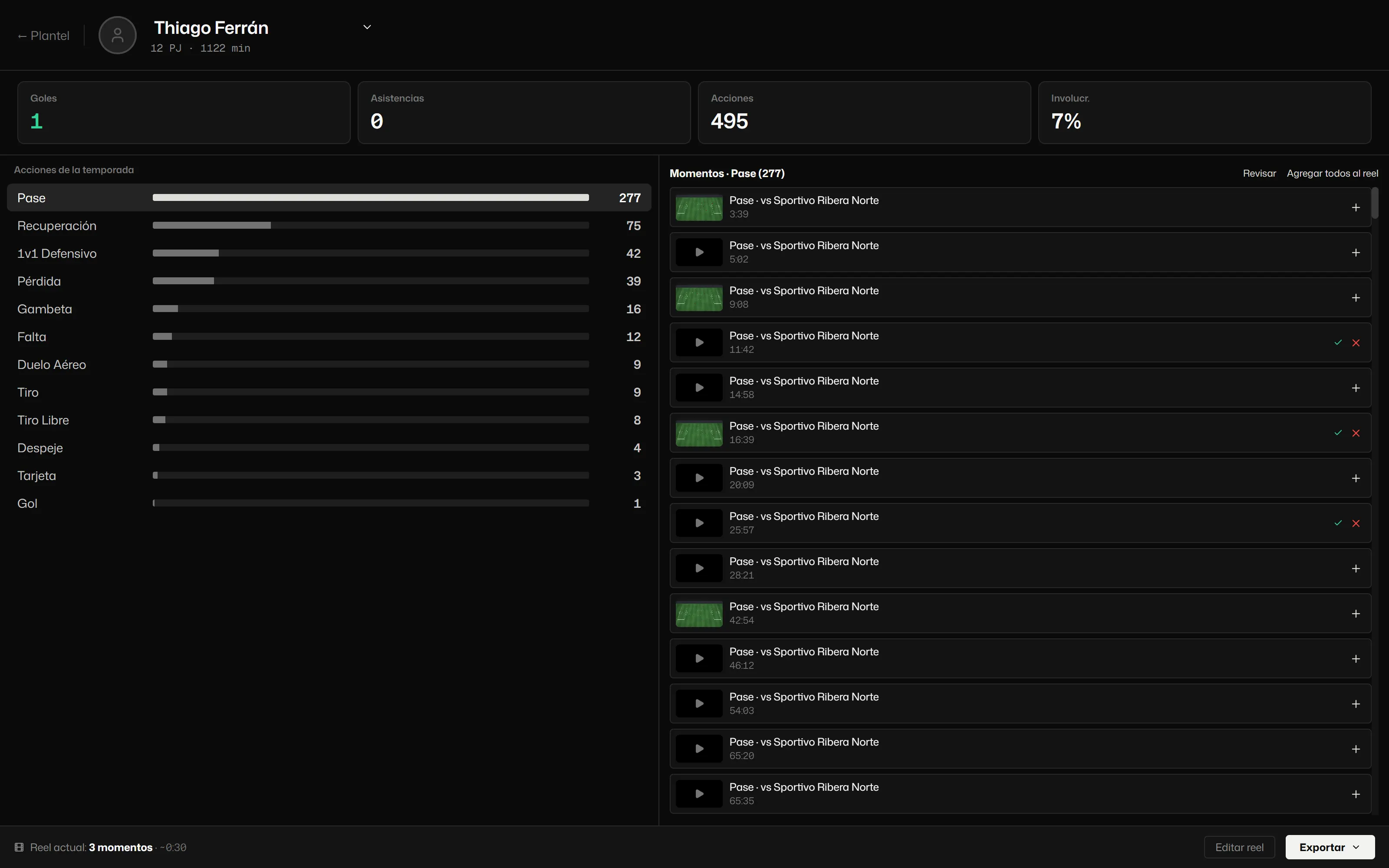
- Player profile. Their season actions, their moments on video and their reel.
- Compare. Two matches, or two seasons or competitions.
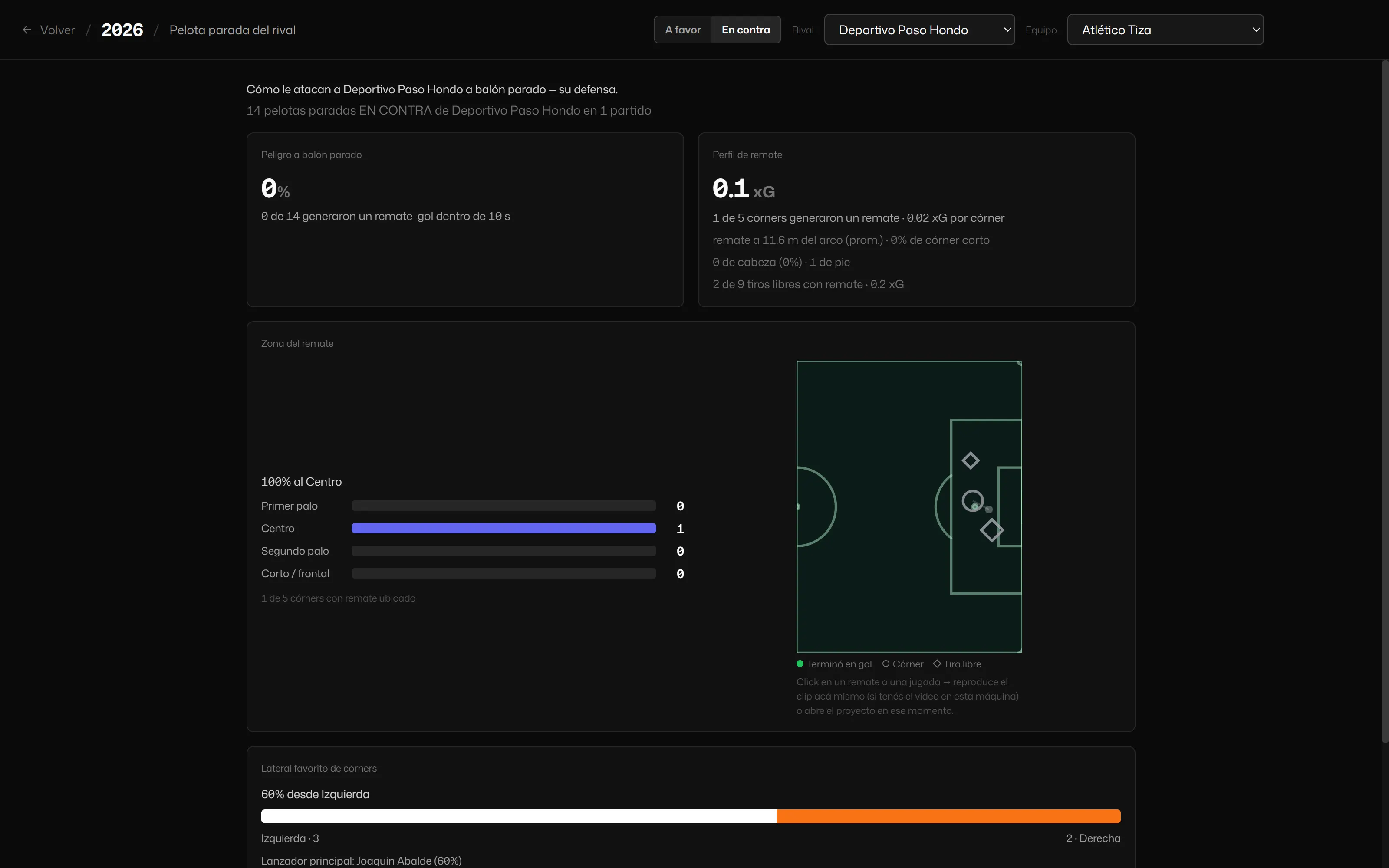
- Pre-match. The opponent’s set pieces, for and against, with every play on video.
[07]
Data and GPS Club
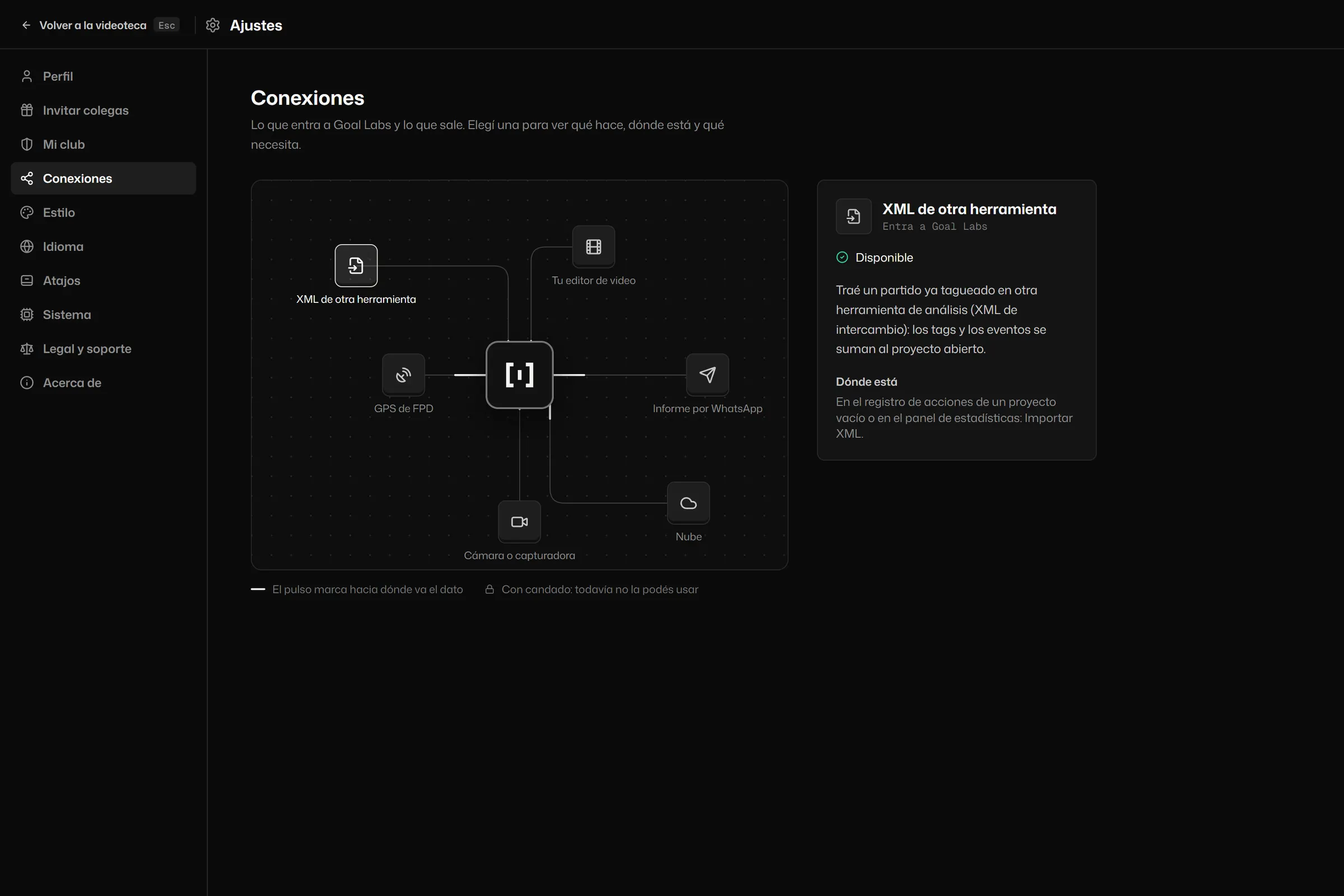
- Connections. In Settings you see everything that goes in and out of Goal Labs: XML from other tools, your video editor, the club’s GPS, the WhatsApp report, the camera and the cloud.
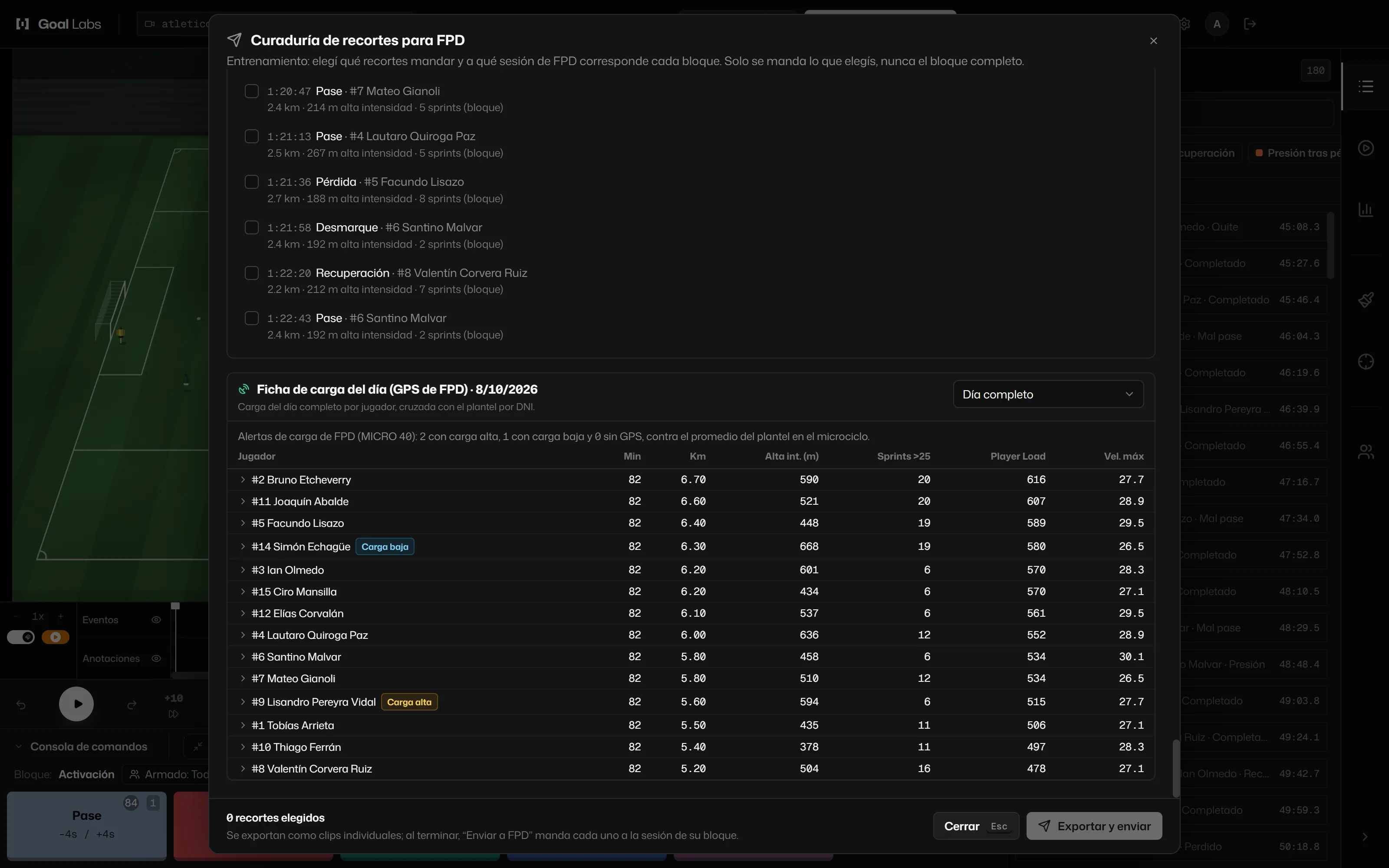
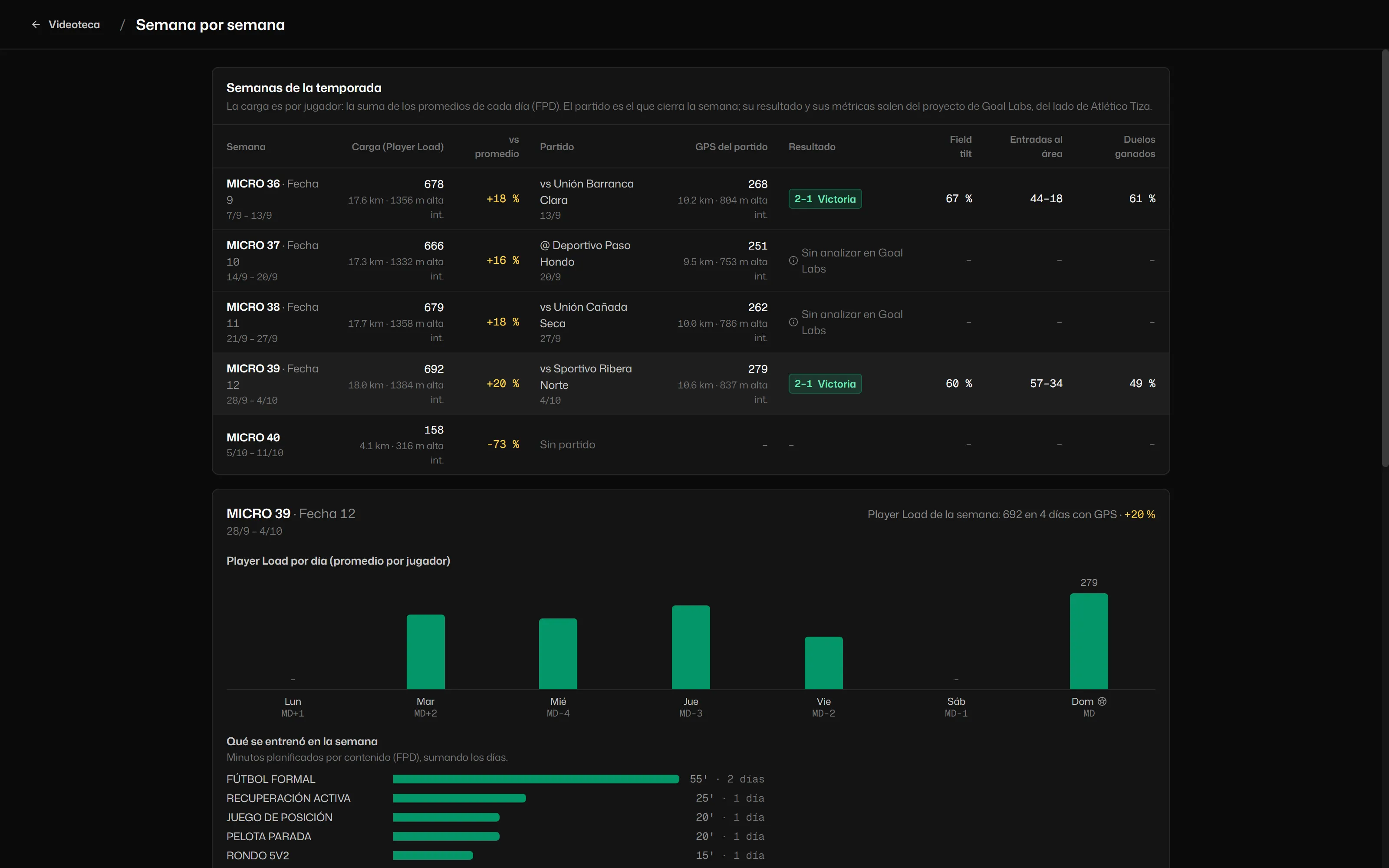
- Club GPS. Currently with FPD. Daily and match load per player, the match by half and week by week.
- Fill in from GPS. Match data, the squad and the session plan.
- Clips to each player. Straight to their profile on the GPS platform.
GPS supports the analysis: the game stays at the centre.
What is in the works
New features show up in What’s new when they ship, not before. There is no version for Intel Macs yet.